Level Stances
How to set up Stances for Levels.
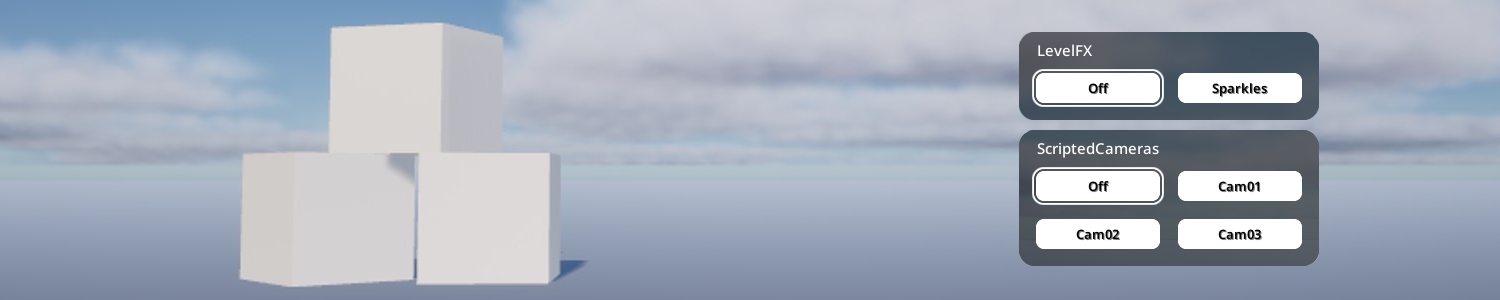
Stances are a special kind of Interaction that let you transition between states.
- You define a “Stance Group” that contains multiple “Stances”.
- Your Level can only be in 1 Stance at a time (per-Group).
- When a Stance is entered, the previous Stance will be exited.
- Stances support looping animations, and transition animations.
Just like Interactions, Stances automatically get buttons in the kemorig HUD, and can have hotkeys assigned to them. They are grouped by Stance Group.
Initial Setup
Your Level must have a Level Blueprint in order to implement Stances.
Create a DataTable for Stance Groups
Level Stance Groups are defined in a DataTable with row struct KemorigLevelStanceGroupTableData.
We could create a new one, but let’s copy a blank example included with the project:
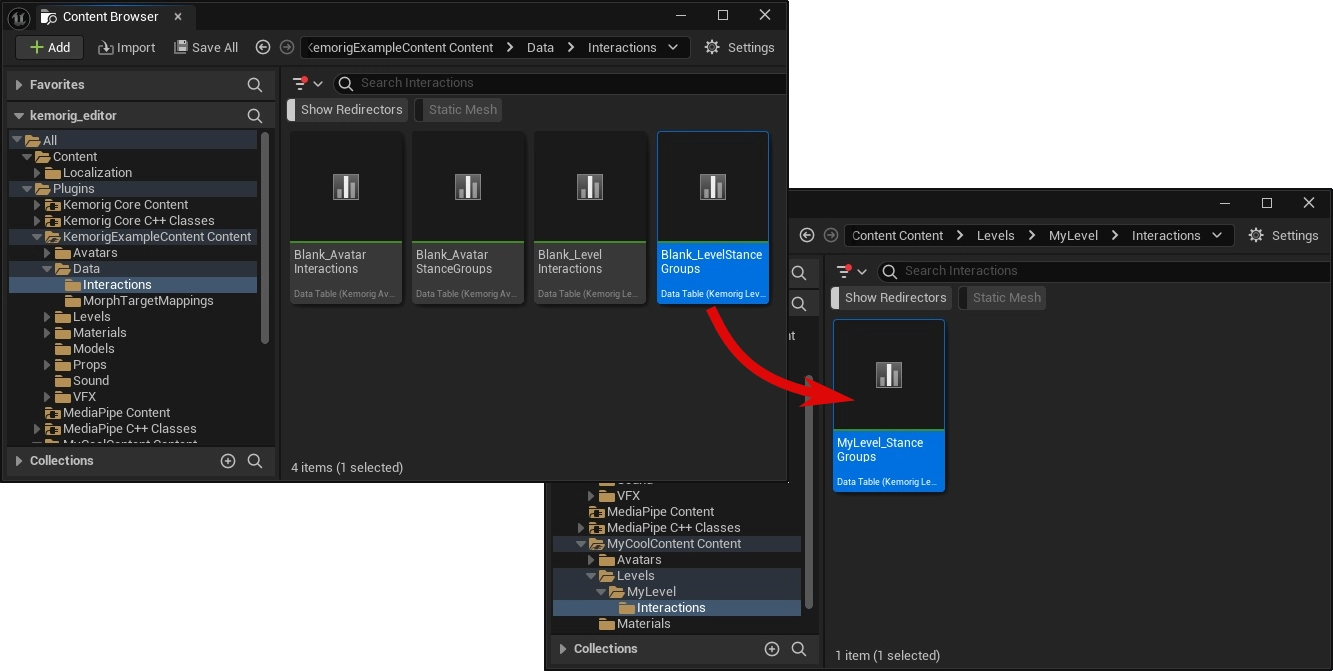
- In the content browser, navigate to the folder KemorigExampleContent Content/Data/Interactions/
- Find Blank_LevelStanceGroups
- Copy/Paste a copy of this into our level folder (I like to use MyLevel/Interactions/) and rename it
Reference DataTable in Avatar Blueprint
Open your Level Blueprint and navigate to the Class Defaults.
In the Interactions category, reference your DataTable in the field Level Stance Groups.
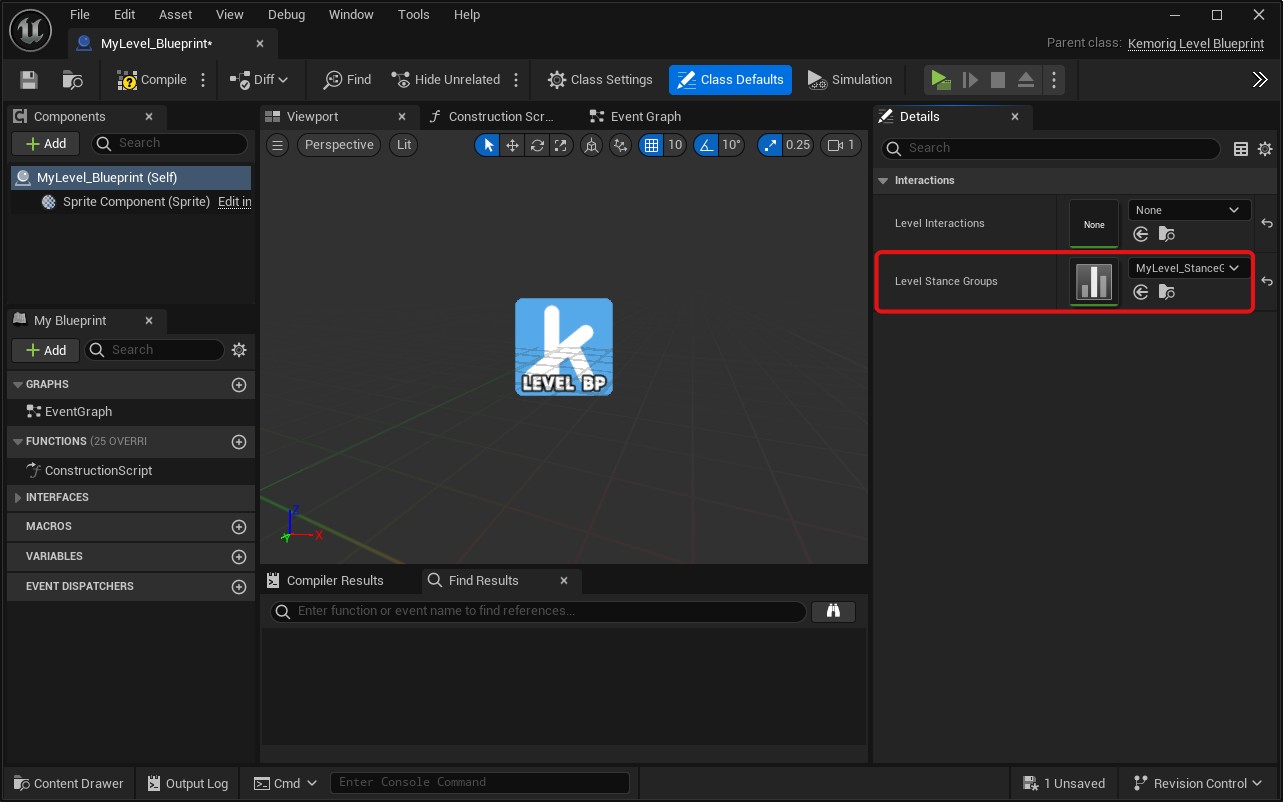
This is all we need to do to enable Stance Groups. Now, any rows we add in the DataTable will create a new Stance Group we can use in kemorig.
Adding a New Stance Group / Stance
Open your stance groups DataTable.
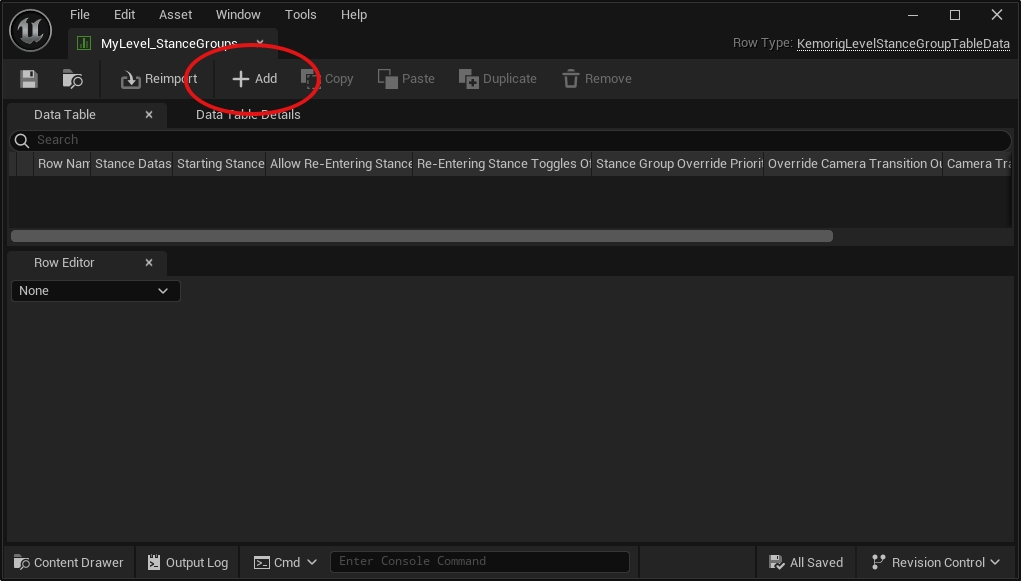
Click the Add button at the top to add a row.
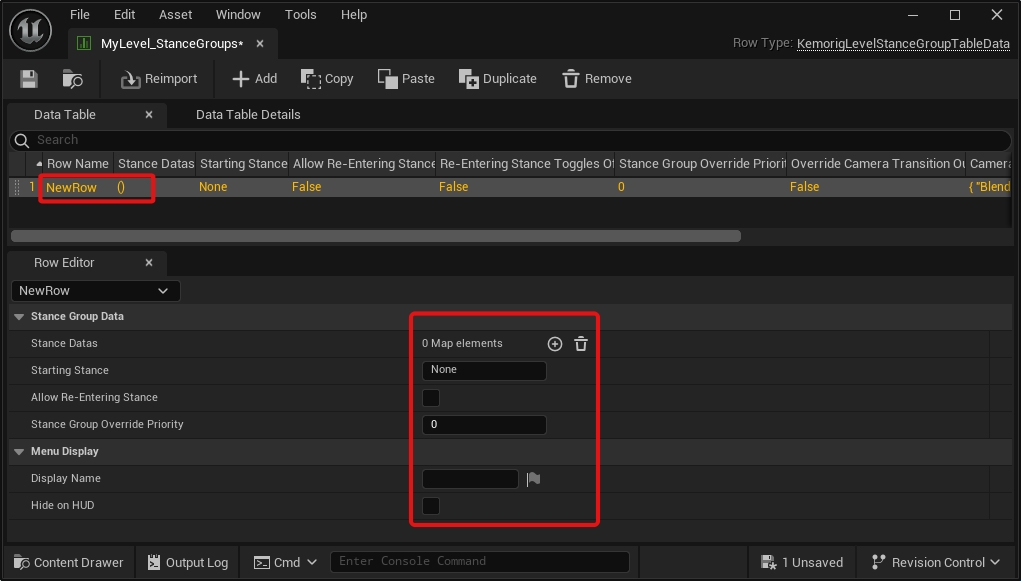
This row defines the Stance Group:
- The Row Name is the name you’ll use to refer to the Stance Group in Blueprints.
- The properties visible when you select the row define the Strance Group’s behavior.
Adding a Stance
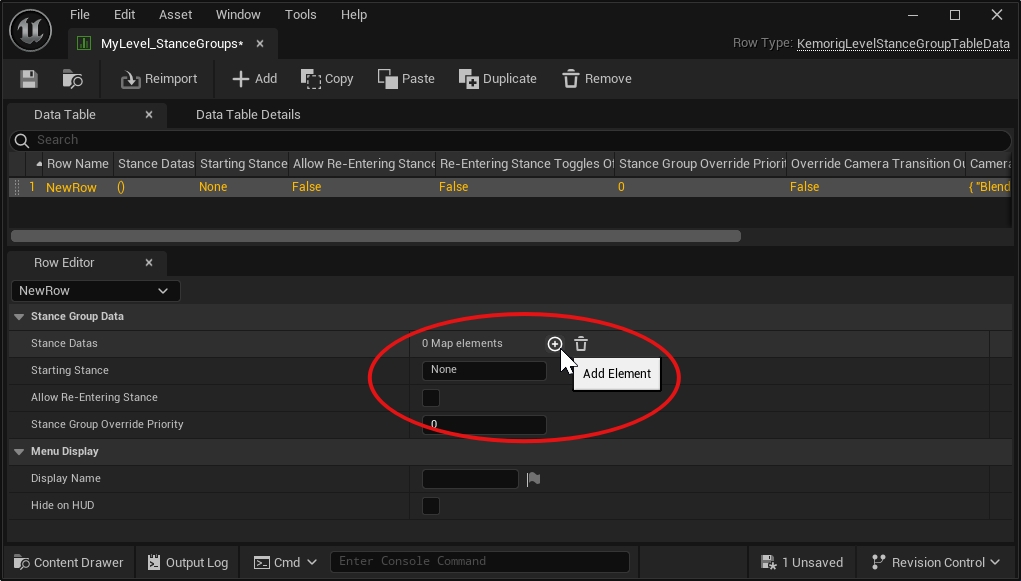
The “Stance Datas” property is an array where you define Stances for this group.
Click the plus icon to add a new entry.
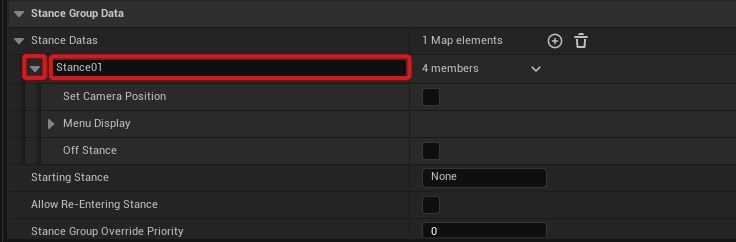
Give the entry a name – this name is important, it is how you will refer to your Stance elsewhere.
Expand the entry to define properties for this Stance.
Custom Blueprint Logic
Just like Interactions, Stance Groups allow you to run arbitrary blueprint logic using events in any blueprint (often your avatar blueprint).
This is where the power of the Stance system shines! You can implement virtually any feature you want.
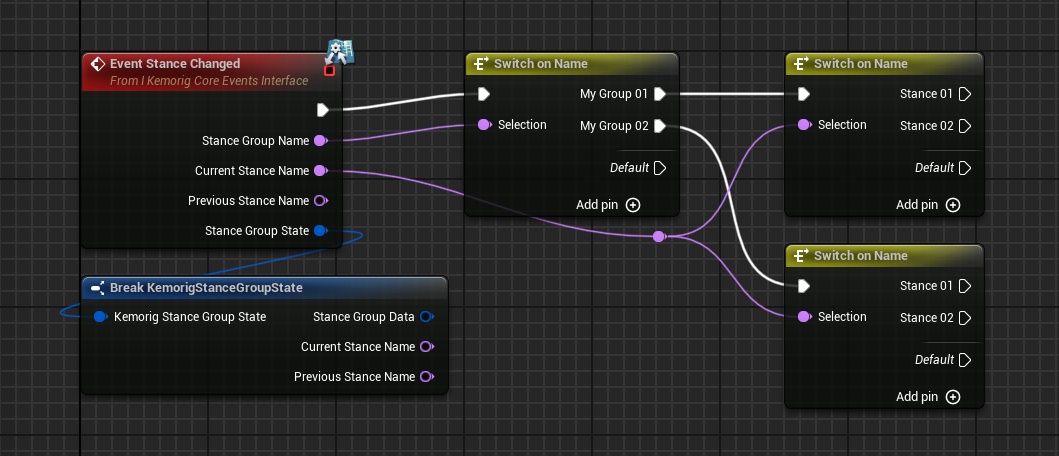
Using “Stance Changed” Event
Stance Changed is a core kemorig event called when any Stance change happens.
You can implement this event, and branch based on the Group/Stance names it reports.
Using “Bind To Stance Group”
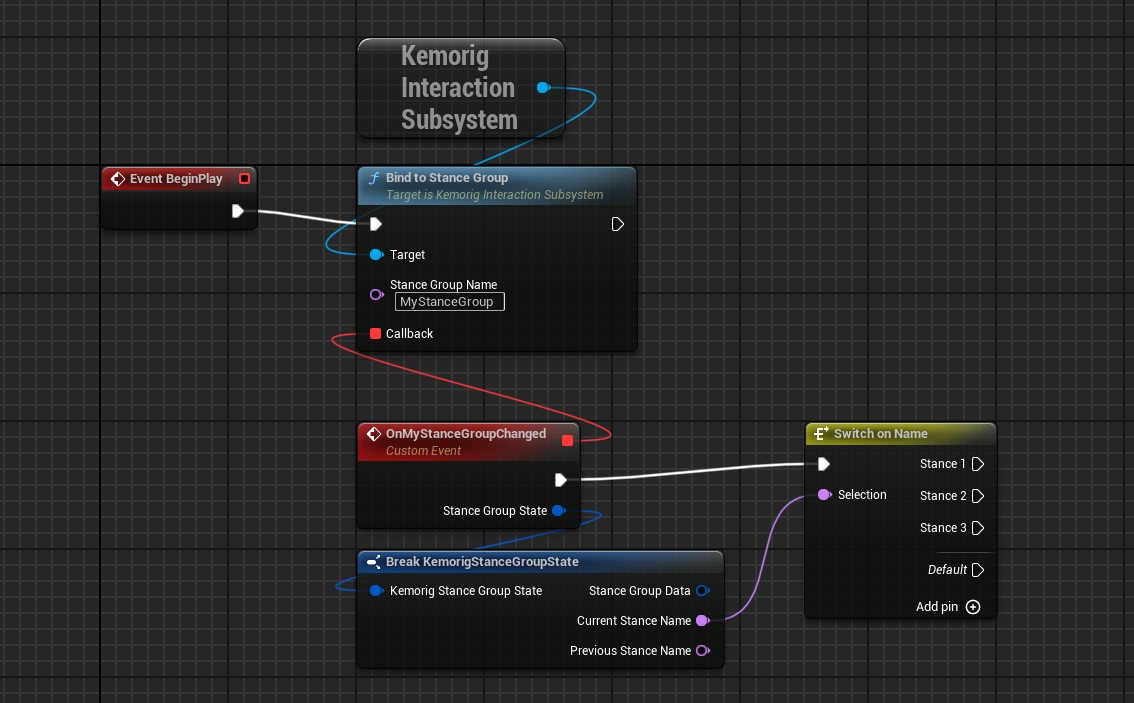
Alternatively, you can bind an event or function to a specific Stance Group.
To do this:
- Add a Get Kemorig Interaction Subsystem node to your blueprint.
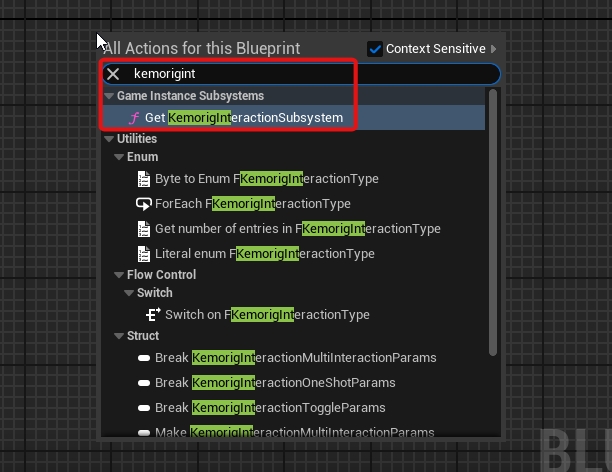
- Drag a pin out of it, and add a Bind to Stance Group node.
- Enter the name of the Interaction you want, and create a callback (the callback is where your logic goes).
Handling with a function
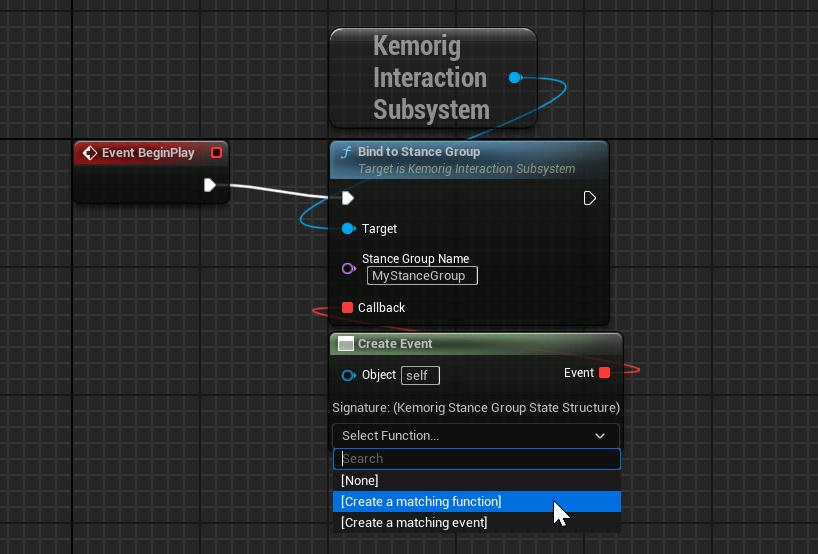
When binding to Stance Groups, a useful trick is to use the “Create Event” node. It allows you to handle the event with a function in your Blueprint.
With complex blueprints, this can be helpful for organization.
More
To explore what else can do:
- Drag the pin out of a Get Kemorig Interaction Subsystem node and search for “Kemorig Stances” functions.