• Skip to primary navigation
  • Skip to content
  • Skip to footer
kemorig
  • Get kemorig
  • FAQs
  • Documentation
    • kemorig documentation
      • Home
    • Using kemorig
      • Quick-Start Guide
      • Tracking Methods
        • Webcam Tracking
        • ARKit Tracking
        • Leap Hand Tracking
        • Microphone Lip Sync
      • Installing Custom Content
    • Editor Setup
      • Editor Setup
        • Upgrading the Editor Project
      • Testing Avatars and Levels
      • Exporting Custom Content
    • Avatar Authoring
      • Creating a New Avatar
        • Upgrading an Older Avatar to v0.13
      • Importing Avatar Models
        • Making Materials
      • Body Motion
        • Hand Tracking
      • Facial Animation
        • Face Tracking (52 ARKit Shapes)
        • Lip Sync (Viseme Shapes)
      • Poses and Animations
        • Custom Rest Pose (No Animations)
        • Creating Pose Animations in Unreal
      • Avatar Interactions
        • Avatar Stances
        • Avatar Camera Positions
      • Avatar Blueprints
      • Motion Settings
    • Level Authoring
      • Creating a New Level
      • Level Blueprints
      • Level Interactions
        • Level Stances
        • Level Camera Positions
    • General Help
      • Example Content
      • Unreal Beginner Tips
      • Blender Help
        • Setup Blender for Unreal
        • Exporting for Unreal (FBX)
        • Best Practices for Building Characters
        • Differences with Unreal
      • Converting Avatars from Other Apps
        • Converting VRChat Avatars
        • Converting VRM Avatars
        • Converting VSFAvatar Avatars
        • Converting Unity Characters
        • Source Files

    Avatar Authoring - Poses / Animations
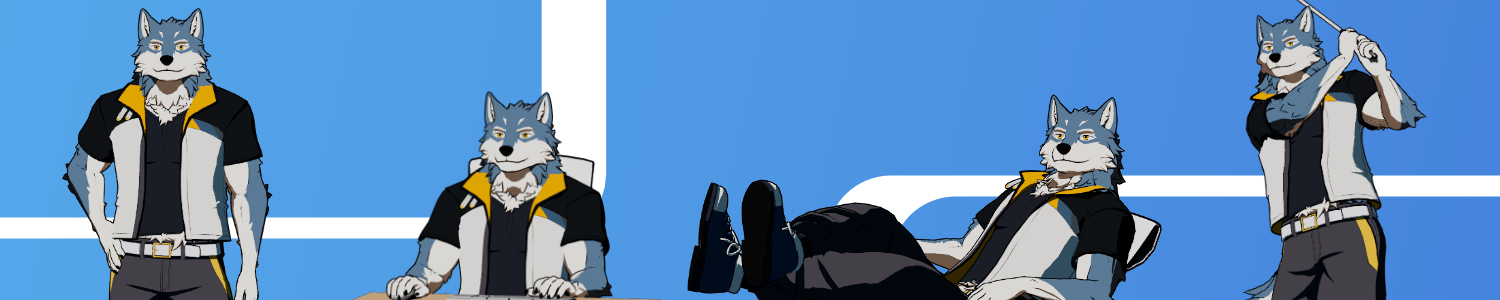
    Kemorig allows you to animate or pose your Avatar, and smoothly layer tracked motion on top.

    You can pose your Avatar using Unreal’s standard suite of animation tools, or trigger animations with kemorig’s Interaction and Stance system.

    Custom Rest Pose (No Animations)

    Using Custom Rest Pose, no animations required

    Creating Pose Animations in Unreal

    How to pose your avatar using Unreal

    • Bluesky
    • Twitter
    © 2026 kemorig. Powered by Jekyll & Minimal Mistakes.